
Administration · 3 min read
Archiving and deleting
The reversible option, the irreversible one, who can do each, and how to choose between them.
Choosing between them
Two ways to take an improvement out of view. They are not variations on a theme — one is reversible and keeps everything, the other destroys the record and its history.
| Aspect | Archive | Delete |
|---|---|---|
| Reversible | Yes — restore it at any time. | No. |
| Keeps the audit trail | Yes, in full. | No — the trail is destroyed with the record. |
| Keeps comments | Yes. | No. |
| Who can do it | Anyone who can browse the project. | Project administrators only. |
| Still findable | Yes, via Include archived. | No. |
Archive is almost always the right answer. Delete exists for genuine mistakes — a duplicate, a test record, something raised against the wrong project. For anything that was real work, archiving keeps the evidence that it happened.
Archiving
Open the improvement and select Archive. It applies immediately. The record drops out of the register, the board and the dashboard counts, and the change is written to the audit trail.

To find it again, tick Include archived in the register toolbar. Open it and the Archive button now reads Restore; selecting it brings the record fully back.
Archiving suits improvements that are:
- superseded by a later, broader improvement;
- duplicates of a record you would rather keep;
- closed long ago and cluttering the register, where you still want the history.
Archiving is not the same as rejecting. Reject records a decision — with a reason, in the trail, visible in reporting. Archive just tidies. If you decided not to do something, reject it; archive it afterwards if it is in the way.
Deleting
The Delete button appears only if you hold the Jira administer projects permission. Selecting it opens a confirmation panel rather than acting immediately.
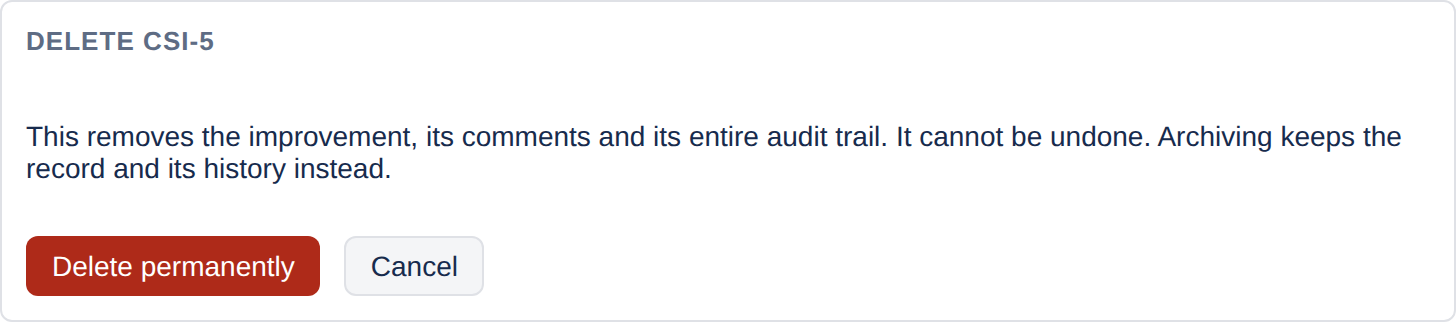
The panel states exactly what is lost and points at archiving as the reversible alternative. Deletion removes:
- the improvement itself;
- every comment on it;
- its entire audit trail, from creation onwards.
There is no undo and no recycle bin. The reference is not reissued — deleting CSI-7 does not make the next improvement CSI-7 — so a gap in the sequence is itself a small signal that something was removed.
Deleting is the only way to remove audit history. The trail has no edit path and no delete path for individual entries; taking the whole improvement is the sole route. In a register kept as compliance evidence, that makes deletion a decision worth taking deliberately rather than as tidying.
What is recorded
The deletion itself is recorded before anything is removed: the improvement's reference and title, who deleted it and when. It is kept in the project's own storage, apart from the trail it purges, and a project administrator sees it under Deleted improvements at the foot of the Settings tab. So the register still shows that an improvement existed and was removed, even though its history has gone. The app's own logs record the reference and how many events and comments were purged, but never who did it: the app keeps personal data out of its logs.
A workable convention
- Wrong or duplicated at the point of raising → delete it, the same day.
- Decided against → reject with a reason, then archive if it is in the way.
- Done and finished with → close it, and archive only if the register is genuinely cluttered.
- Anything else → archive.