
User guides
How to use ImproveDesk
Fourteen guides covering everything the app does, from raising your first improvement to configuring approval policy. Every screenshot is taken from the running app. About 74 minutes end to end, but they stand alone — start wherever your question is.
New to ImproveDesk?
Read Getting started to find your way around, then Raising an improvement to put the first record in. Those two are enough to be useful in a service review.
If you are the person setting it up for a team, read Project settings first — the categories and approval policy you choose there shape everyone else's experience.
Everyday use
Getting started
Where ImproveDesk appears in Jira, how to open your project register, and what the four screens and the attention banner are for.
5 minRaising an improvement
Every field on the form, which ones are required, and what the server fills in for you.
7 minMoving work through the lifecycle
Transitions, putting work on hold, rejecting with a reason, reopening, and the gates that stand in the way.
6 minPrioritising with RICE and the composite score
How both scores are calculated, what to put in each field, and why an unscored improvement stays unscored.
5 minBenefits and measures
Recording a benefit case, setting baselines and targets, handling lower-is-better measures, and evidencing verification.
6 minFinding improvements
Search, the status and category filters, overdue and archived, and the board view.
4 minComments and the audit trail
Leaving a comment, reading the trail, and what an auditor can tell from the sequence numbers.
4 minDelivery issues and the issue panel
Linking an existing issue or creating a delivery issue, how linked issues appear on a record and on the issue itself, and which issues can be linked.
4 minReporting
Reading the dashboard
Every headline figure and panel explained, including how realisation rate and return on cost are worked out.
7 minThe dashboard gadget
Putting one project's register on a Jira dashboard, choosing its project, reading its four figures, and what viewers without access see.
4 minEmailing the attention digest
The site and project switches, who receives what and when, what the email says, and what each delivery message means.
6 minExporting to CSV
Exporting the current filtered view, what the 34 columns hold, and why values are prefixed with an apostrophe.
3 minAdministration
Archiving and deleting
The reversible option, the irreversible one, who can do each, and how to choose between them.
3 minProject settings
Categories, services, currency, review cadence, the stale threshold, score weights, the two approval policies, publishing status to Jira issues, and the email digest.
10 minA note on the screenshots
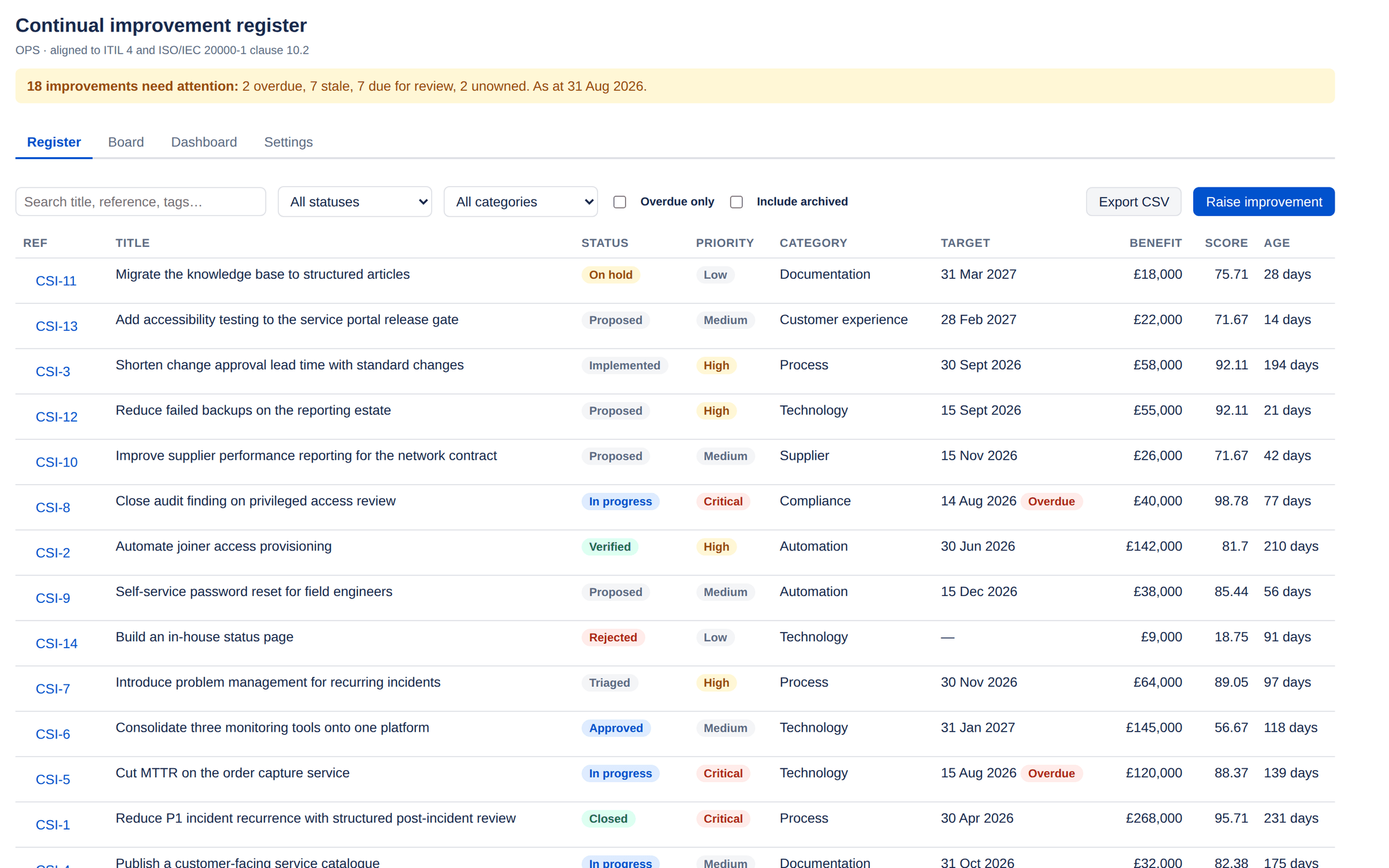
They come from a demonstration project called OPS holding
fourteen improvements, so the figures and names are illustrative. The interface is
exactly what you will see — nothing here is a mock-up or a drawing of a planned feature.