
Everyday use · 4 min read
Comments and the audit trail
Leaving a comment, reading the trail, and what an auditor can tell from the sequence numbers.
Two records, deliberately separate
Comments are what people say about an improvement. The audit trail is what the system observed happening to it. Keeping them apart is what lets the trail be trustworthy: nobody can add an entry to it by hand, because there is no way to.
Commenting
The comments panel sits near the foot of an open record. Type into the box and select Add comment. The button stays disabled until you have written something.
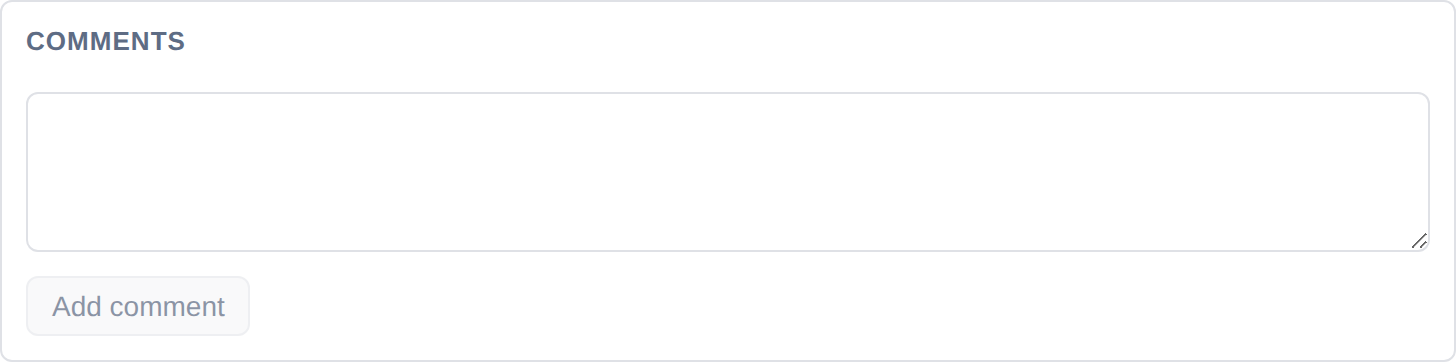
Each comment is stamped with your name and the date. Comments are a good place for the things that do not belong in the description — a decision taken in a meeting, a supplier's response, a reason for a slipped date.
Comments cannot be deleted from the interface today. The capability exists in the app's backend — a comment's author or a project administrator is permitted to remove one — but the current screen offers no control for it. Write comments on the assumption that they stay.
The audit trail
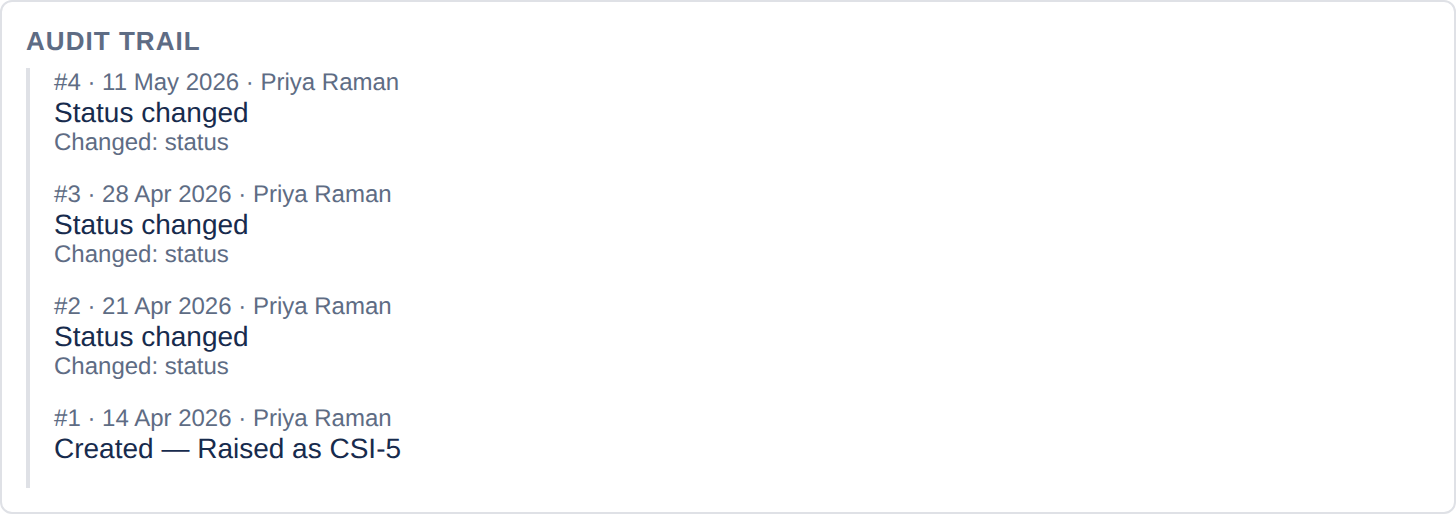
Every mutation writes an entry. Creating the record, each edit, each transition, archiving, linking and unlinking issues — all of it lands here, newest first.
Reading an entry
Each line carries four things:
- A sequence number —
#7. Unique and increasing within that improvement. - The date the change happened.
- Who made it. Scheduled jobs appear as system actions.
- What changed — the action, plus each field affected. A simple field shows its old and new value, for example Status: Proposed → In progress or Owner: None → Helen Cartwright. A structured field — the benefit case, prioritisation or measures — shows its name alone.
Why the sequence number matters
Timestamps are not enough on their own. Two events written in the same millisecond would sort arbitrarily, and a missing event would be invisible. The sequence gives every entry a definite position, and means a gap can be spotted: if a trail runs #1, #2, #4, something has been removed.
This is usually the first thing an auditor tests, and it is the difference between a history and an audit trail.
What cannot happen to it
- Entries cannot be edited. There is no update path in the app at all.
- Entries cannot be deleted individually. There is no delete path either.
- The only way to remove history is for a project administrator to delete the whole improvement, which takes the record, its comments and its entire trail together. That action is confirmed in the interface and logged. See Archiving and deleting.
Archiving keeps everything. If you want a record out of the way but its history intact, archive it rather than deleting it. Archiving is itself an audit event.
Using the trail in a review
Three questions it answers quickly:
- "When did this actually get done?" — the transition to Implemented, with a date and a name, rather than whatever the target date says.
- "Who changed the forecast?" — an edit to the benefit case appears as Benefit case with a date and a name, even though the figures themselves are not shown.
- "Has this been sitting still?" — a trail whose last entry is four months old tells you more than a status of In progress does.
One limit worth knowing. Old and new values are shown for simple fields — status, priority, owner, dates, category, tags and the like, with long text cut short. The benefit case, prioritisation and measures show only that they changed. The trail will tell you the benefit case was edited on 13 April by a named person; it will not tell you the forecast went from £40,000 to £90,000. If that matters for your evidence, note the reason in a comment at the time.