
Everyday use · 4 min read
Finding improvements
Search, the status and category filters, overdue and archived, and the board view.
The toolbar
Everything that narrows the register sits in one row above the table. The filters combine — set a status and a category and you get records matching both.

Search
Typing in the search box matches across several fields at once:
- the title and description;
- the reference — typing
CSI-12jumps straight to it; - the service, category and risks;
- tags;
- linked Jira issue keys.

Searching for a Jira issue key is the quickest way to answer "what improvement is this ticket part of?" from the register side. From the issue side, use the panel on the issue itself — see Delivery issues and the issue panel.
The search waits until you stop typing before it runs, so a six-letter word produces one request rather than six. You may notice a brief pause before results settle; that is deliberate, and it keeps the app inside its request budget.
Filtering by status
The first dropdown holds all nine statuses. Choosing one shows only records currently at that status.

Overdue only
Ticking Overdue only narrows to open improvements past their target date. This is usually the first thing to look at in a service review.

Overdue is derived rather than stored, so it is always current — nobody has to maintain a flag. A record that is Closed, Verified or Rejected is not overdue no matter what its target date says, because there is nothing outstanding.
Archived records
Archived improvements are hidden by default. Tick Include archived to bring them back into view — useful when you are looking for something you know was raised but cannot find. See Archiving and deleting.
Reading the table
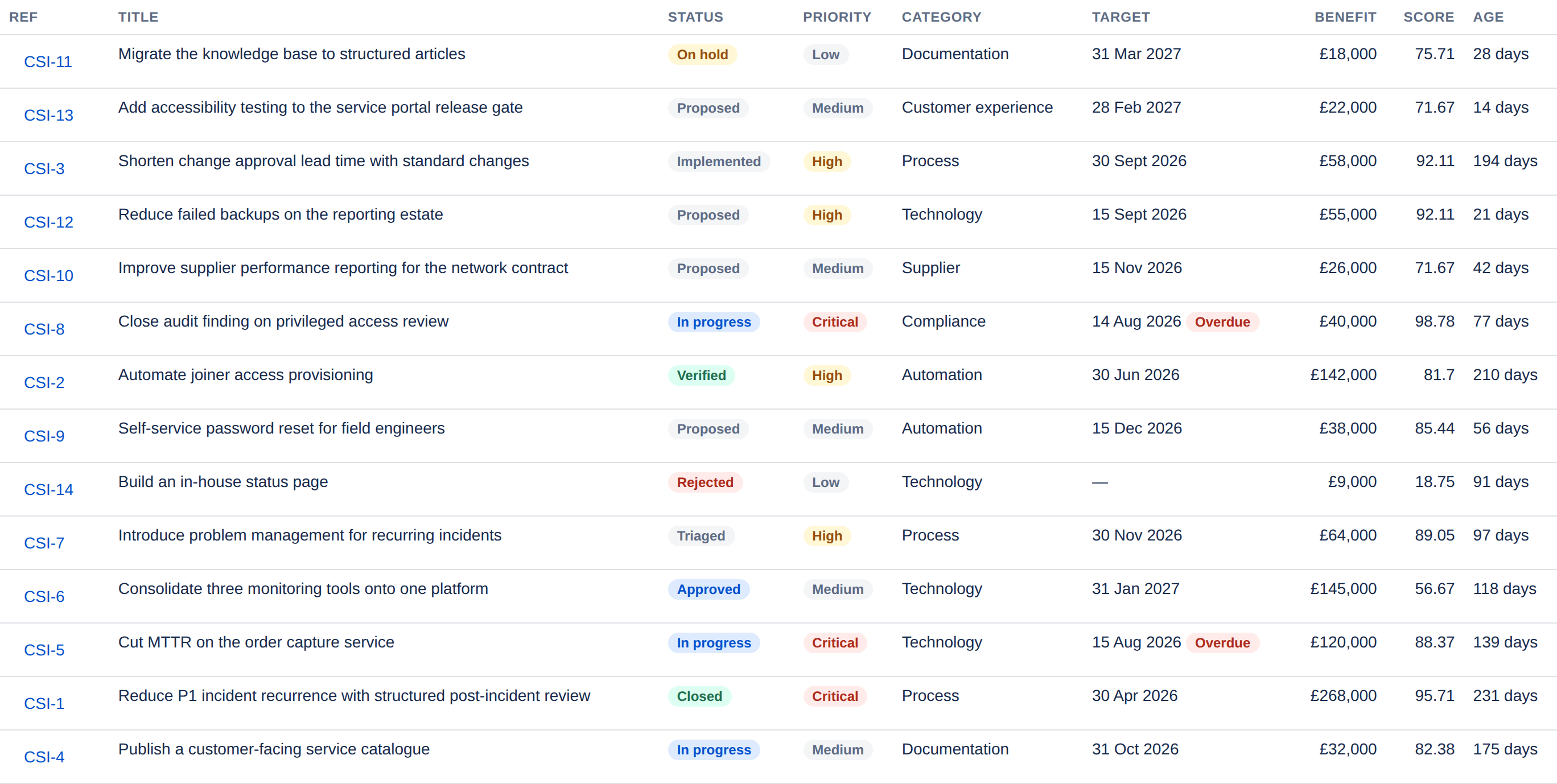
| Column | What it shows |
|---|---|
| Ref | The project-scoped reference. Select it to open the record. |
| Status | Where it sits in the lifecycle. |
| Priority | Critical, High, Medium or Low. |
| Target | The target date, with an Overdue flag where it applies. |
| Benefit | The realised figure where there is one, otherwise the forecast. A dash means no benefit case has been recorded. |
| Score | The composite score out of 100. See Prioritising. |
| Age | Days since the improvement was raised — not days overdue. |
The board
The Board tab shows the same records grouped into columns by status. It is the better view when the question is "where is everything stuck?" rather than "find me this one".
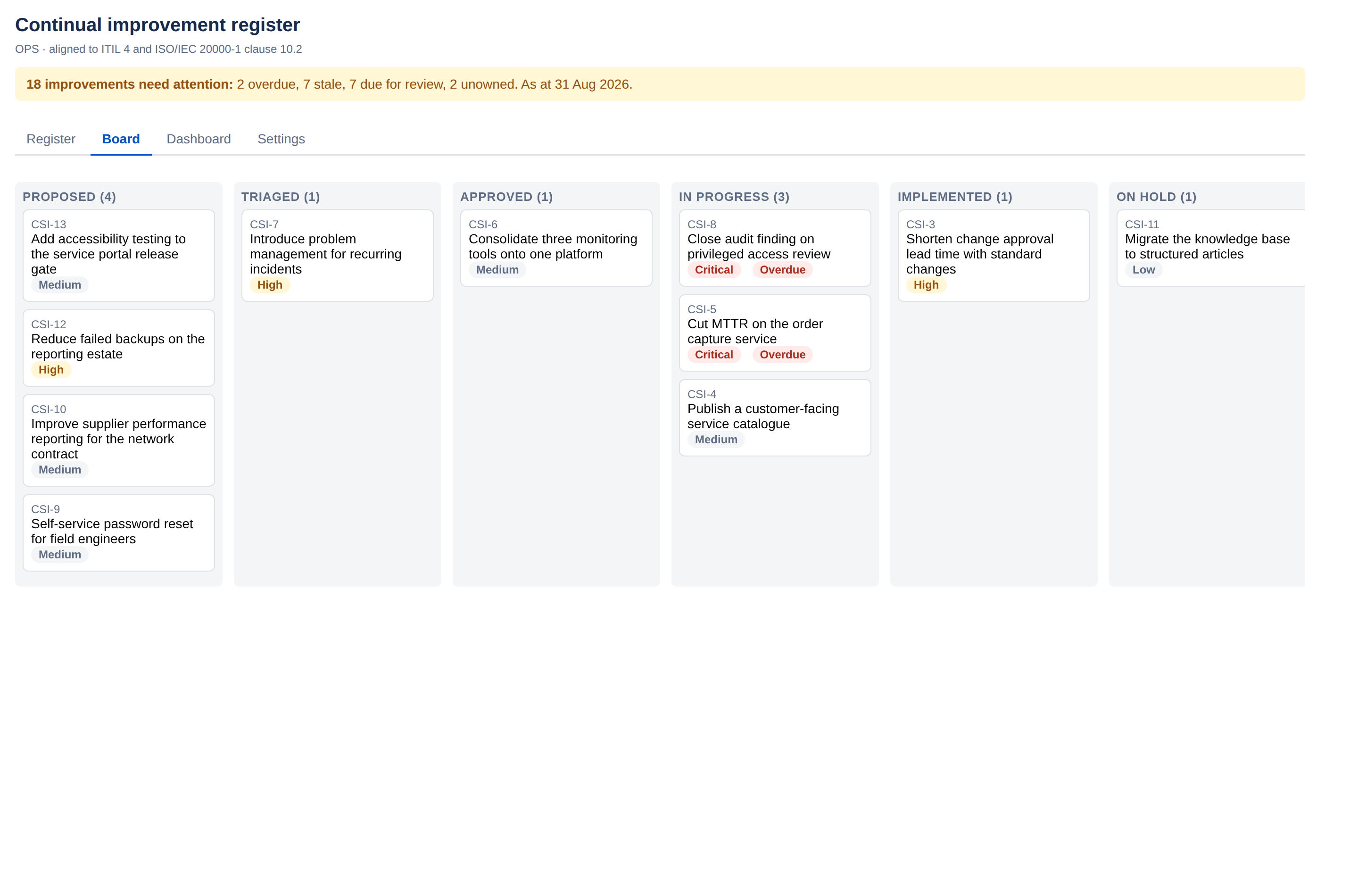
Cards carry the reference, the title, the priority and an Overdue flag where it applies. Selecting one opens the same record you would get from the register. The board is read-only — improvements are moved from the record itself, not by dragging.
Paging
The register pages rather than scrolling endlessly, with the count shown beneath the table ("Showing 1–14 of 14"). Filters apply across the whole register, not just the page you are looking at, so the count tells you how many records match in total.